Showing posts with label how to. Show all posts

Sunday, February 14, 2010

Organizing A Giveaway

I have to say organizing a giveaway is one of my favorite things to do! The excitement of running a giveaway can be contagious!

If you are new to giveaways here are a few basic tips to get the wheels turning.....

First, what kind of giveaway do you want to have? Will it be through your blog, your Myspace, Facebook, or Twitter? There are so many ways to do it! Although it is not imperative that you use social media, these are by far the easiest and the most successful platforms. If people are following and interacting with you already, they will surely want to be a part of your giveaway!

Choose an item (or two!) you think many people would enjoy receiving and spend time on creating quality photos of it.
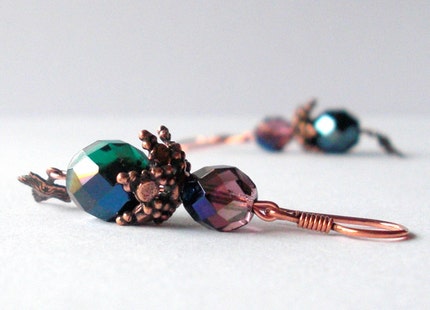

Some ideas if you want to work through your blog:
  • Your blog is great place to make your official announcement, reveal your start/end date and explain the rules to participate.
  • You will need to decide how they will participate. One suggestion would be to have them follow your blog to enter, or leave a comment on the post. A really fun interactive way to do it is to have a theme. For example, say you are having a Valentines Day giveaway. Have participants tell you how they fell in love with their significant other in their comment to enter. This way your followers get involved and enjoy being part of the process!
  • Don't forget to post numerous lovely photos of the giveaway item and explain what makes it so special!  If you can make more than one of the same item, post one for sale in your shop as well, and offer a discount during the giveaway period.
  • Don't have a blog of your own? Head to the forums and search for a blog looking to sponsor a giveaway. They sponsor it, promote it etc. and you are responsible for mailing the item. You can even post a thread in forum saying you are looking for a blog that will do this. It is great promotion for both parties!
Some ideas if you want to do a giveaway on twitter:
  • If you use twitter you have less space to explain the rules, so don't make too many!
  • One way to do it would be asking your followers to retweet a given text to win. For example, "Win this http://link_to_item, 500 to RT wins!"
  • You need to be careful and specify one RT per hour or other limitation. It is also some work to count them up in the end!
Some ideas if you want to do a giveaway on your facebook page:
  •  You can ask your fans to post something on your wall to enter. Their favorite item from your shop, their favorite color, a story, just about anything. There is room to get quite creative!
  • Another idea that works well is simply tell all of your facebook (or blog) followers that they are automatically entered if they are following you. It is a great way to show your appreciation for their support and no one has to do a thing! 
Other tips:
  • To be fair, use a random number generator to choose your winner or have a friend/family member pick the winners name from a hat.
  •  Remind participants to leave a way for you to contact them if they win.
  • Once you have winner, contact and congratulate them and don't forget to ask for their mailing address. Assure them their info will not be used for any other purpose.
  • Have a deadline for them to respond if they do win.
  • Include a discount code with the giveaway item. They may want to share with friends or be encouraged to visit your shop and make a purchase!

With so many options, it is really up to you to find the best strategy for your giveaway. It all depends on what you feel is beneficial for your shop and your customers. Do you do it for the love of it and enjoy interaction with your fans and followers? Do you want to boost your twitter and blog following? Need more facebook fans? Just get excited at giving stuff away? It is all up to you!

Once you have it all figured out, promote it! Get into the forums, blog about it, tweet about it, post in on your fanpage, tell your friends or mention it in your newsletter/mailing list if you have one.

Have fun and enjoy the ride! You will be surprised at how excited your fans will get when they have chance at winning a free item from your shop!

Friday, February 5, 2010

Screen Shots! - Quick Tutorial

Even wonder how some sellers make a screen shot of their awesome treasuries? Or a section of a blog that they have been featured on?

Wonder no more!


On a Mac:
  • If you want to capture your entire screen- hold the command key (little apple) + shift + 3. It will be automatically saved to your desktop.
  • If you want to capture a portion of your screen- hold the command key + shift + 4. A little icon that looks like a target will appear. Click and drag the area you want a snapshot of.  In both cases, the snapshot will appear on your desktop as a png file.

On a PC:

  • Use the [PrtScn] button on your keyboard then open an editing program and paste it in! 
  • Use the crop tool to select the portion that you want.

That's it!!

Thursday, December 17, 2009

Twitter Basics ~ Tweet Your Heart Out!

The social networking world can be confusing, even overwhelming to many who have not used social networking sites before. With so many choices, it is hard to decide which one to use to make connections and talk about your craft. Twitter is a great place to start!

What is Twitter anyway?

Twitter is a fast paced networking tool that can really spread the word about you, your love of your craft, and what's new in your Etsy shop simply by answering the question "What's happening?".  Twitter offers the opportunity for "micro-blogging" with a short status update of what is going on at the present moment.  Each user gets a profile, where all your tweets are shown. You follow other tweeters to see their tweets and vice versa.


Some Basics:

Status
  • Answer "What's happening?" as often as you like. However, you only have 140 characters to do it! There are several ways around this limit by using common abbreviations and shortening long urls. (Several sites that can help you shorten long urls are www.tinyurl.com and http://bit.ly.)

Replies
  • If you see a tweeter asking a question or want to comment on a tweet, click the reply button below their tweet. This will automatically put the user name in your status bar (@userwhomever). Whatever you write in your status will be then posted to your profile for all to see as well as the intended user.

Mentions
  • Wondering if anyone answered the question you just tweeted? Look to the right column. There you will find your username just under "home". By clicking your user name you will see all who replied to or mentioned you in their tweets. It is always nice thank some one for retweeting something and even better to return the favor and spread some love!

Direct Message (DM)
  • If you want to respond to a tweeter without it being posted to your profile, you can direct message a user. Think of this as a mini email- your followers will not be able to see this message. DMs are also limited to 140 characters so keep it brief!

Retweets (RT)
  • Want to share another tweeters tweets with your own followers? Just click the retweet button below their tweet to retweet their message.  This will automatically mention the user and post it your profile.

Following
  • Following a user means you will see their status updates on your "home" page each time they update and those who choose to follow you will also be able to see your updates. There are many ways to find people of interest to follow. You can use the search bar in the right column for keywords and/or hashtags. Hashtags (#) make it easy to search twitter for specific topics and to tag your own tweets so they appear in searches. For instance, if you found a handmade item that you love on etsy (a common occurence!) then you might tweet- "Just found an awesome #handmade felt dog on #Etsy!" The next time some one searches "handmade" or "Etsy", your tweet will appear in that search.

  • You may also use a third party application or other websites to find tweeters to follow. There are many out there and more being added quite frequently. Some sites also allow you to bulk follow and unfollow. Just be careful as twitter sets limits for you on how many people you my follow. Once you follow 2,000 tweeters you need to have at least 2,000 followers in order to follow more.
Try these sites for starters:
http://twitseeker.com
http://www.twellow.com
http://wefollow.com
http://www.tweepz.com

If you have reached your limit you can choose to use a site like http://huitter.com/mutuality2 to bulk unfollow. This site allows you to bulk unfollow those who are bots (not real people!), spammy, haven't used their accounts in a while or are not following you back. Sounds a little childish, not following those who don't follow back, but in the twitter world there is not much loyalty in that sense. Don't take it personally! You are not obligated to follow all you follow you. Find people of similar interests and who you will enjoying chatting and making friends with!

Using Twitter:

I have made sales on twitter, and love to share what is going on in my shop. However, there is a line between posting links to your shop occassionally and being spammy. Twitter is fast paced, but only posting links to new items every few seconds won't be helpful to you or your shop. I have made some wonderful friends and connections there and enjoy promoting other shops, retweeting items that I like myself, offering inspirational quotes or silly things that happened during the day. To me twitter is about making friends and showing people what I am up to. If you use twitter only to promote your shop, you may find yourself being unfollowed for it. Keep it real and you will find yourself making some really great friends! :)

And if you want to tweet along with me join me @Saraswatijewels. Happy tweeting!!!

Sunday, November 29, 2009

Tag You're It! - Maximize Your Tag Potential

I have been seeing a lot of tag related questions lately and thought this would be a great topic to address, especially during the busy holiday season! Because we want our shops exactly that, busy!

Tagging does seem to be an elusive art but with a little thought and creativity it can be one of the most useful tools for driving traffic to your shop! I have compiled a few tips that you may find helpful when you are tagging your items on Etsy.

After you have tagged your items appropriately in the main categories and subcategories, you can move on to the more descriptive tagging. Some tips to consider.....

  • Be Honest- (Not only important in life but essential in tagging too!) Tag your items as relevantly as you can. Customers are looking for an item specific to their search and can be easily frustrated with mistagged items. If they are looking for a sweater and find your jewelry tagged as such, they are no more inclined to look at your shop. This is also against Etsy policy. :(   Not clear on etsy policy? Check in here under "tagging".
  • Make sure to use ALL the 14 tags! - Each tag is a little path to your shop so don't waste them! The more tags, the greater the chance people will see your shop and the items you offer. 


  • Get creative! - Etsy has some awesome suggestions on tagging. Read that here to get the juices flowing. Go ahead and use the thesaurus if you run out of ideas, just don't leave a tag blank!
  • How would you search?- Think about how you would search for an item like yours. What keywords would you use to locate an item?  
To start try:

Using Descriptive Colors - bright red, aqua, beige, mauve, maroon, chartreuse, forest green, brown

Using Temperature- hot, cool, fiery, warm, frosty, cold

Using Texture- velvety, soft, feathery, rough, silky, luminous, cloudy, clear

Using Moods- dreary, lonely, happy, fierce, bold, dark, humorous

Using Styles- bohemian, goth, edwardian, mod, hipster, elegant, chic, etc.......!

You can even use your shop name in there or special promotion you might be having (BOGO, Free gift, etc.) The choices are limitless!

  • Still need more ideas?- Check out www.craftweasel.com. Craftweasel's Tagfinder a great tool to help you tag your items, generate graphs of popular tags, item views and more!

 The added perk of descriptive tags is that is greatly enhances your chance of landing treasuries too! Sellers often search for a cohesive style, color, or mood for treasuries. So tag, your it!

Saturday, November 14, 2009

How To Create A Facebook Fanpage For Your Etsy Shop

Putting off making a facebok fanpage? Or just finding facebook hard to navigate and can't figure out how to get your fanpage started?

Here is a quick tutorial to get you on your way!

The main confusion on facebook has been the business page vs. personal page. A fanpage for your business is completely separate from your personal page, although you can access both from one account.

Let's start at the very beginning.

  • Don't have a facebook account yet? Go to www.facebook.com and click "sign up" to create one. Follow directions from there to create your personal account, then check back here and follow the rest of this list.
  • If you already have a personal facebook page go to www.facebook.com without signing in. On the main page you will see "create a page for your band or business." Click! 

  • Enter how you wish your shop to be categorized and make sure your page name is your Etsy shop name. Click "create page" and get going! 
  • Now you can to fill in all of your info about your shop, your website links, upload photos of your items and much more!
  • Once your page is set up you will want to get yourself some fans by clicking on the "suggest to friends" link to your left under your avatar photo. (See below)


There you go! Good luck with your new page!

One more quick tip. Once you navigate away from your fanpage it can be hard to find again! Just look to the very bottom left of your personal page and click on the little blue icon to the right of "applications" (pages tab). There it is!


Join me for future posts about facebook and Etsy applications, importing your blog and linking your facebook page to twitter! Make sure to write me on facebook so I can fan your page!!

Thursday, November 12, 2009

Treasury 101! Snatch your own!

Are you finding the treasury to be an elusive torment? New to Etsy and not even sure what a treasury is? You are in the right place!

What is a treasury?

A treasury is a temporary gallery of items curated by Etsy sellers. Items are often chosen with a theme, color, or emotion in mind. You can enter the treasury section through Etsy's front page under "explore."

How do I get one?

Here is treasury 101 for those who want to snatch a treasury for themselves. You are going to love the rush when you get one!

1. Go to www.craftopolis.com and click on the "treasury clock." This is an awesome site where you can see how much time is left before a treasury opens. After a treasury is created, it expires in 2 days. To land a treasury yourself, you need to wait until the number of treasuries is below 333.

2. You might see that a treasury won't open for  hours, or a even day on the treasury clock. So check back near the time the next opening is scheduled.


3. In the meantime, have fun preparing your item gallery on Poster Sketch, a useful tool that allows you to enter items just like the treasury! (Just bookmark the link and all your items are automatically saved when you come back to it.)

4. Come up with an interesting theme, favorite color, food, song, anything! Then search on Etsy to find items that compliment it. Once you find an item you like, find the listing number of the item (under stats) and copy and paste it into poster sketch. Rinse, repeat!

5. When you near the time the next treasury is to open, head back to Craftopolis and check the clock. (Have your poster sketch ready in another window.) Once the needle is in the red zone it is time to click on it. This takes you directly to the treasury list.

6. Now here is the important part.....don't refresh the page! Can you see when the lists expire? It will most likely be a matter of minutes. Your page automatically refreshes and you can loose your chance when you refresh. So hang out and wait patiently, it is worth it! Scroll down to the bottom of the page where is says "the treasury is full."


This is where the magic happens when the treasury opens so keep your eyes on it. As soon as a treasury has opened, it will prompt you for your title. I like to have my treasury title copied already so when it opens up I can just paste it in and go! Copy and paste your poster sketch listings in the treasury and there you have it!

Good luck and have fun. A word of warning- treasury highs can be addicting!

Now it is time to show it off in the forums once it is done. Do a forum search for "treasury" and share yours with others. And don't forget to take some time out to comment and look at other treasuries!