As many of us are not photographers, we can often struggle with the best way to take product photos. Do I need expensive equipment? A light box? A tripod? How can I take photos that are crisper? Brighter? Should I adjust my photos? With what program?
I would like to share with you what works for me. My suggestions may not work for everyone, but I have been successful with these methods and I hope it will renew confidence to those working toward better photos. I am not a photographer and it took me some time to figure out what works best. Keep experimenting and don't give up!
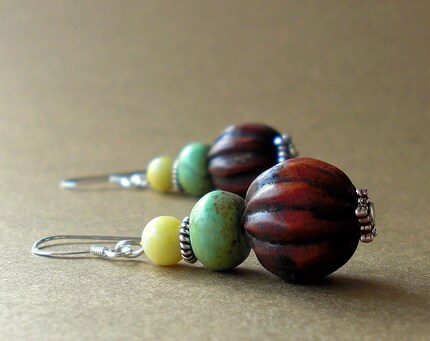
Equipment:
- No you do not need an expensive digital camera! I have seen many fabulous photos taken on inexpensive cameras. It is possible! I use a Casio Exilim and it works well for me. I experimented a lot with lighting and different settings to find the best combination for the photos I wanted.
- Tripods can be useful but not essential. I have a table tripod that I use for some, not all photos. Remember, the steadier your camera is, the crisper the photo. I bought a little tripod for 9.99 online!
- Props and elaborate setups can often be distracting in a photo. Keep the focus on your product and keep the background simple. One prop or a solid color paper that compliments your item tends to work best. Try buying a few large (neutral or white) colored papers to photograph your item on.
Lighting:
- Many sellers like to use a lightbox. I believe it is especially convenient if you are in an area where you do not get a lot of natural light or cannot take your photos during the day. However, I love use natural light for my photography.
- I like to take photos indoors next to a bright window before noon or in the afternoon. (You can take photos in the direct sunlight, however, they can often be harsh and over exposed.) I avoid the direct sunlight on the object by closing the shade a bit. Some of my brightest and crispest photos were taken in a "shady" setting then brightened a bit in photo editing software.
Photo editing software:
- There are a bunch out there! Once again, you do not need to buy expensive software like photoshop to edit your photography. Most computers have their own software, and there are many you can download online like Picnik, Gimp, Picasa. I use Picasa as I find it simple and fun to use.
- Just remember not to adjust your photos too much. If the photo needs a lot of adjustment, I recommend trying to photograph the item again.
We will get into the nitty gritty specifics on how to use your camera settings, adjust your photos, and use your editing software to make your photos pop all in my next post! So stay tuned!
